Overview
AxonOps provides a rolling restart feature for Cassandra.
The feature is accessible via Operations > Rolling Restart.
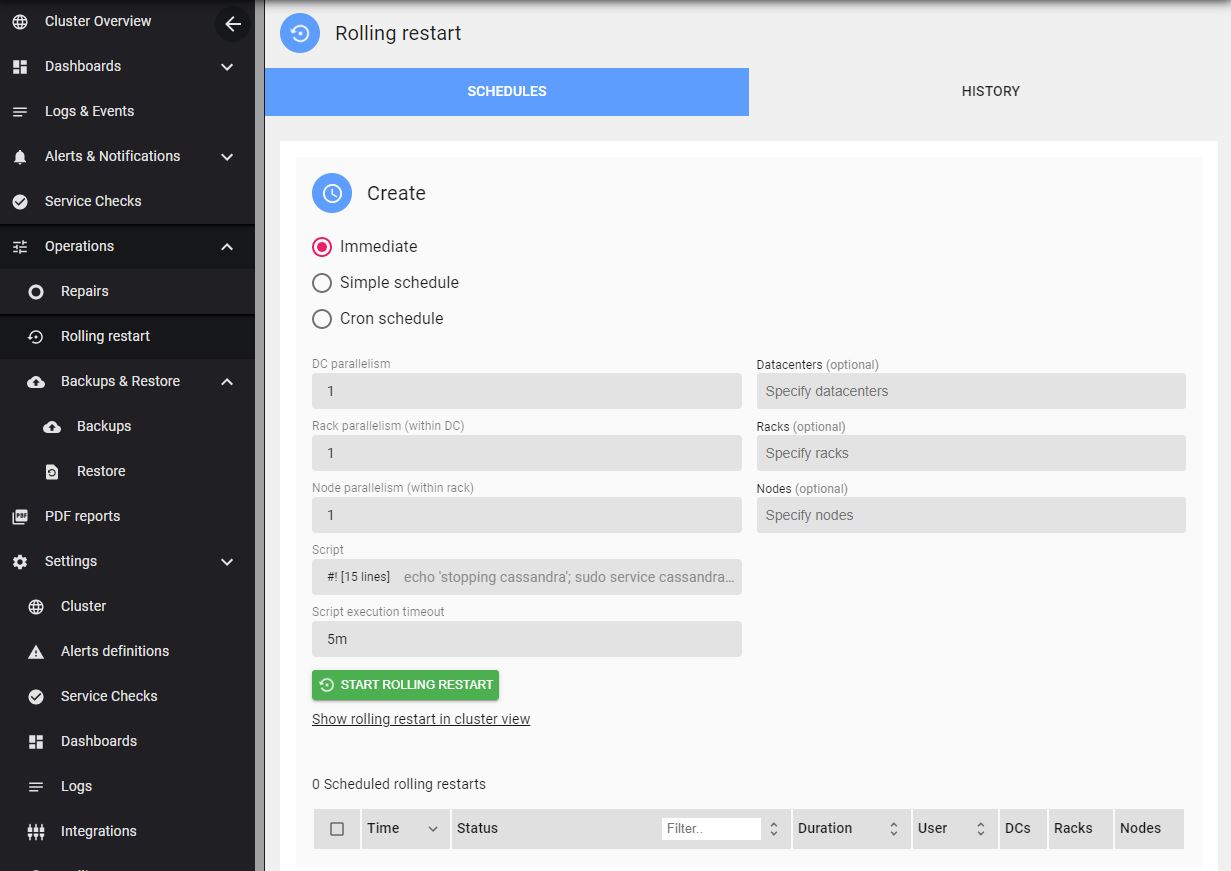
The AxonOps user requires permissions to stop and start the Cassandra service. Add the AxonOps user to sudoers, for example:
#/etc/sudoers.d/axonops
axonops ALL=NOPASSWD: /sbin/service cassandra *, /usr/bin/systemctl * cassandra*
You can start an immediate rolling restart or schedule it.
The script field lets you customize the predefined script executed by axon-agent during the restart process.
You can also specify different degrees of parallelism for the restart: DC, Rack, and Node.
For example, to restart one entire rack at once across the cluster, set a large Node parallelism (greater than the number of nodes in the rack, for example 999).
DC parallelism: 1
Rack parallelism: 1
Node parallelism: 999
To restart one entire rack across each DC:
DC parallelism: 999
Rack parallelism: 1
Node parallelism: 999