Set up Slack Integration
Create Slack Incoming Webhooks
Add the Incoming Webhooks app to Slack.
Note: Ensure you're on the correct Slack Workspace by using the Workspace indicator on the top left.
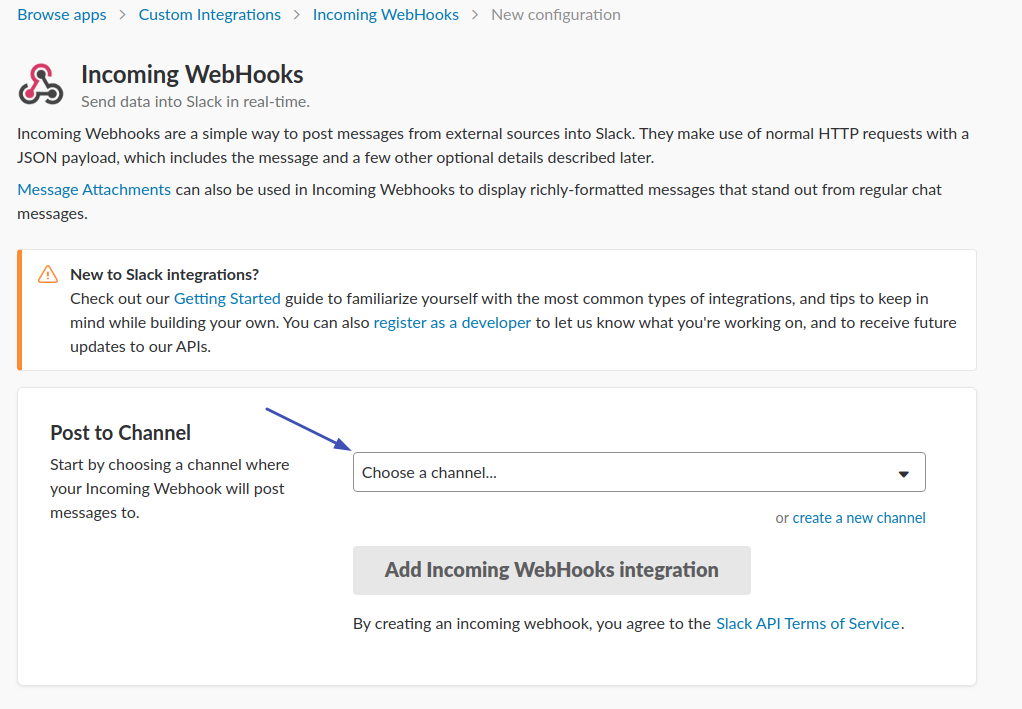
In the Post to Channel box, select an option from the Choose a channel... dropdown menu.
Click Add Incoming Webhooks Integration.
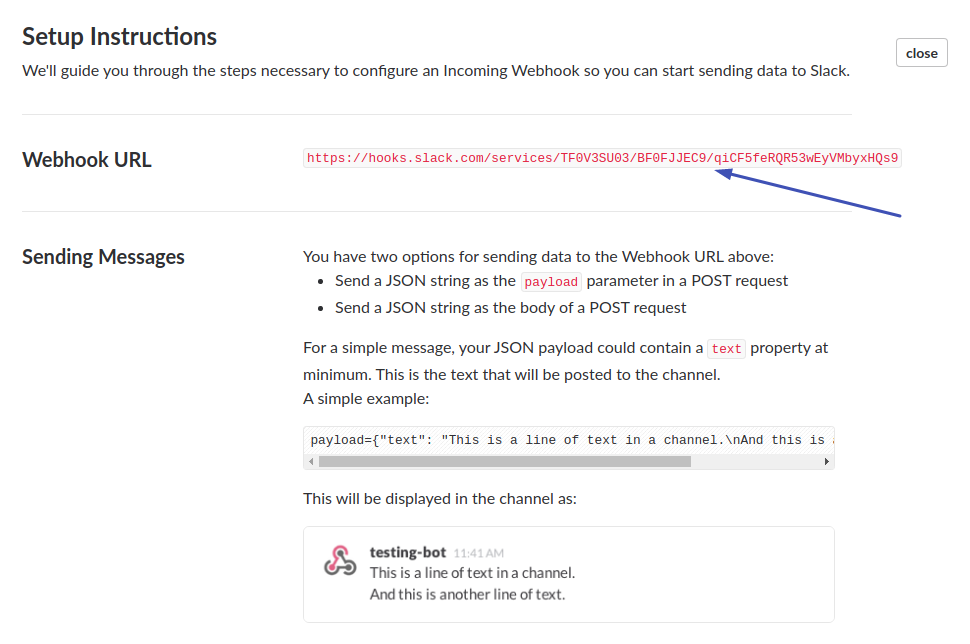
Copy and make a note of the Webhook URL that appears in the Setup Instructions.
Creating the Slack integration on AxonOps server
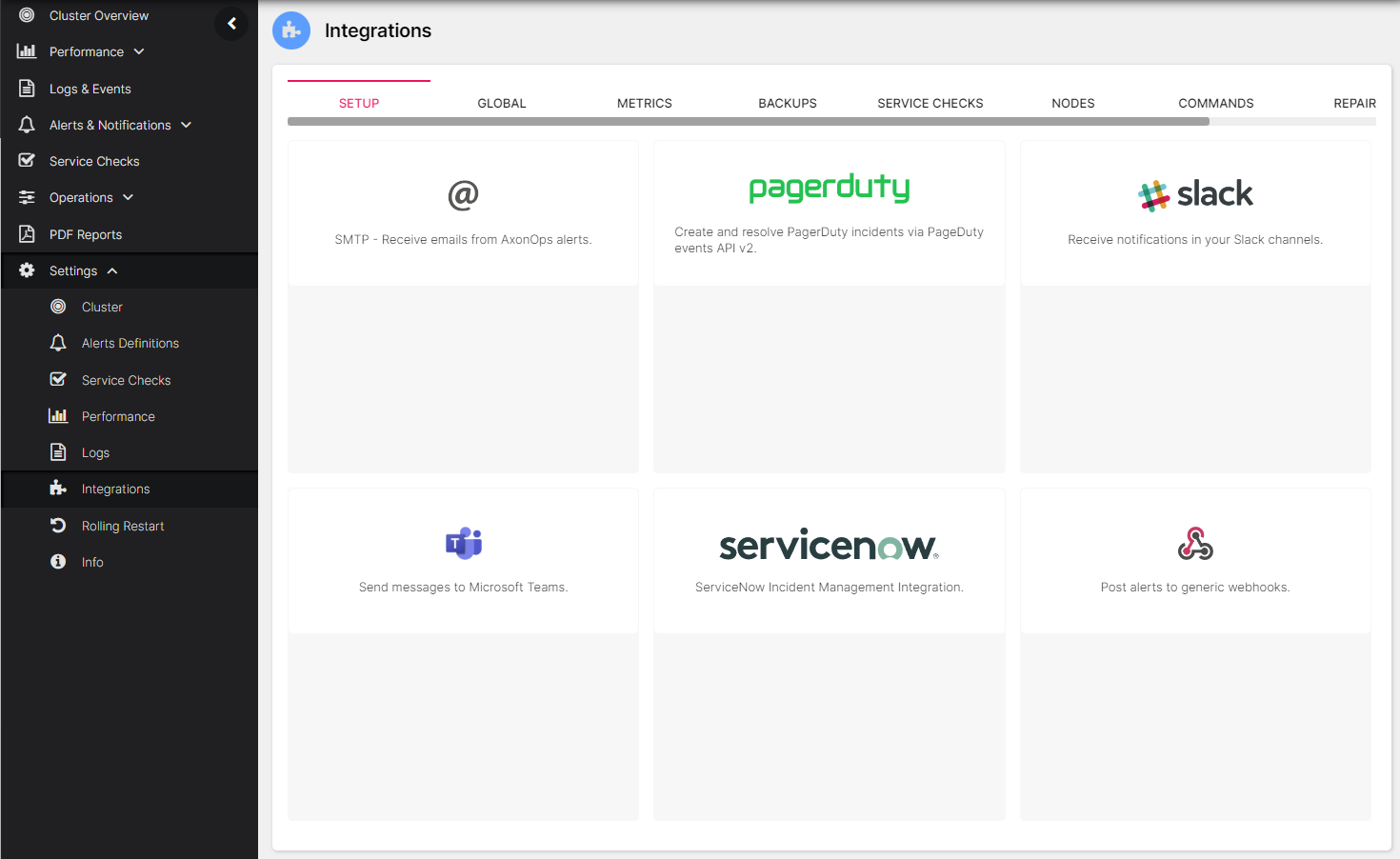
On the AxonOps application menu, select Settings -> Integrations.
Click on the Slack area.
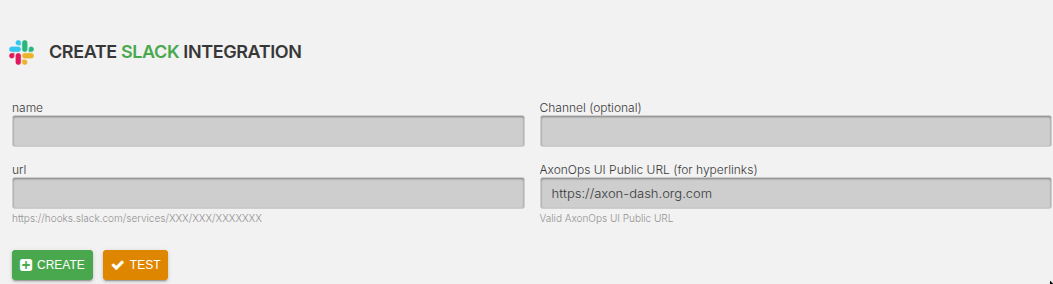
Add the Webhook URL from the previous step into the url field.
Optionally, set the Channel field to send alerts to a channel other than the default channel
that was defined when the Webhooks integration was added to the Slack workspace.