Create a Topic
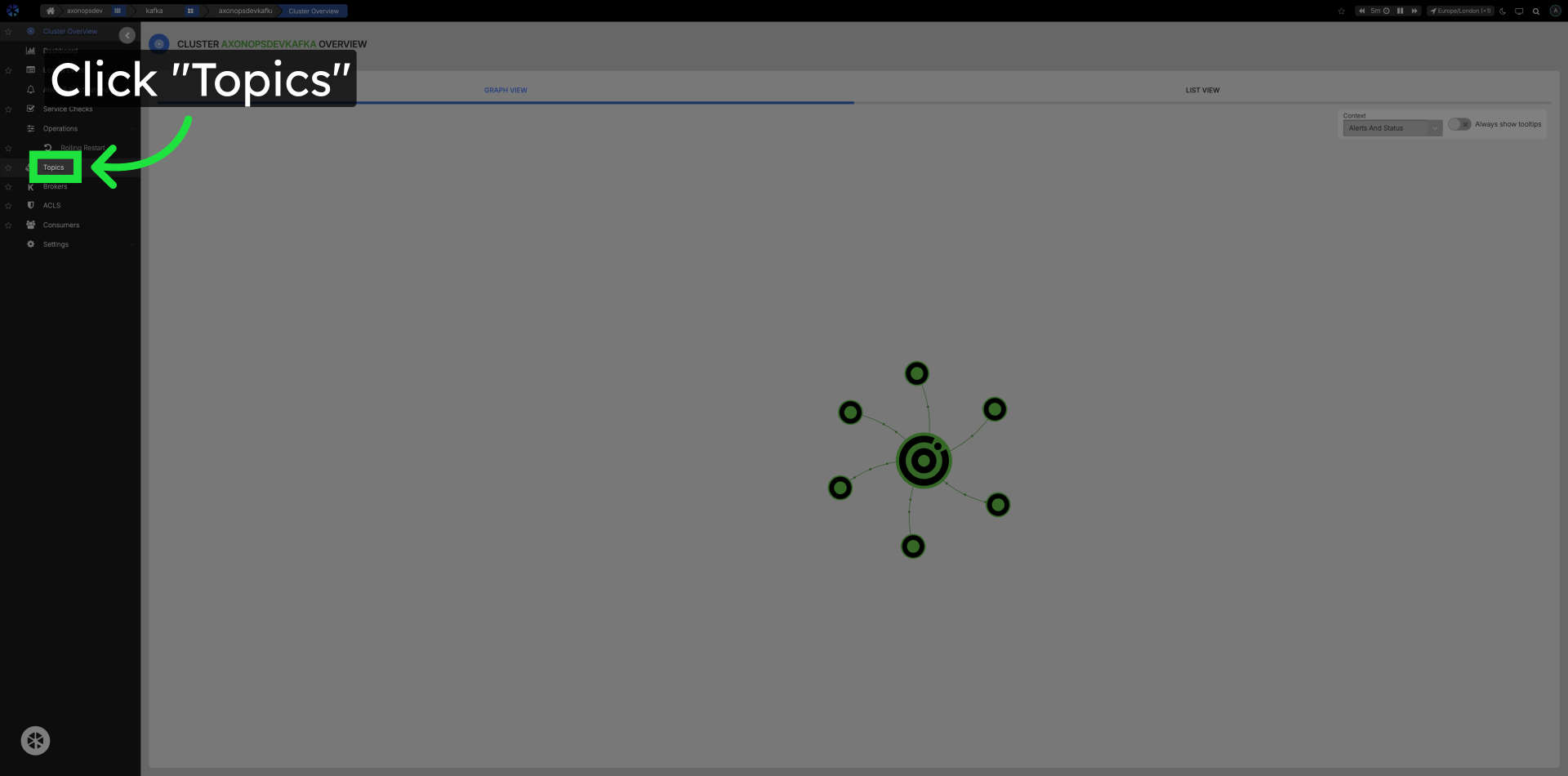
Click Topics in the left navigation
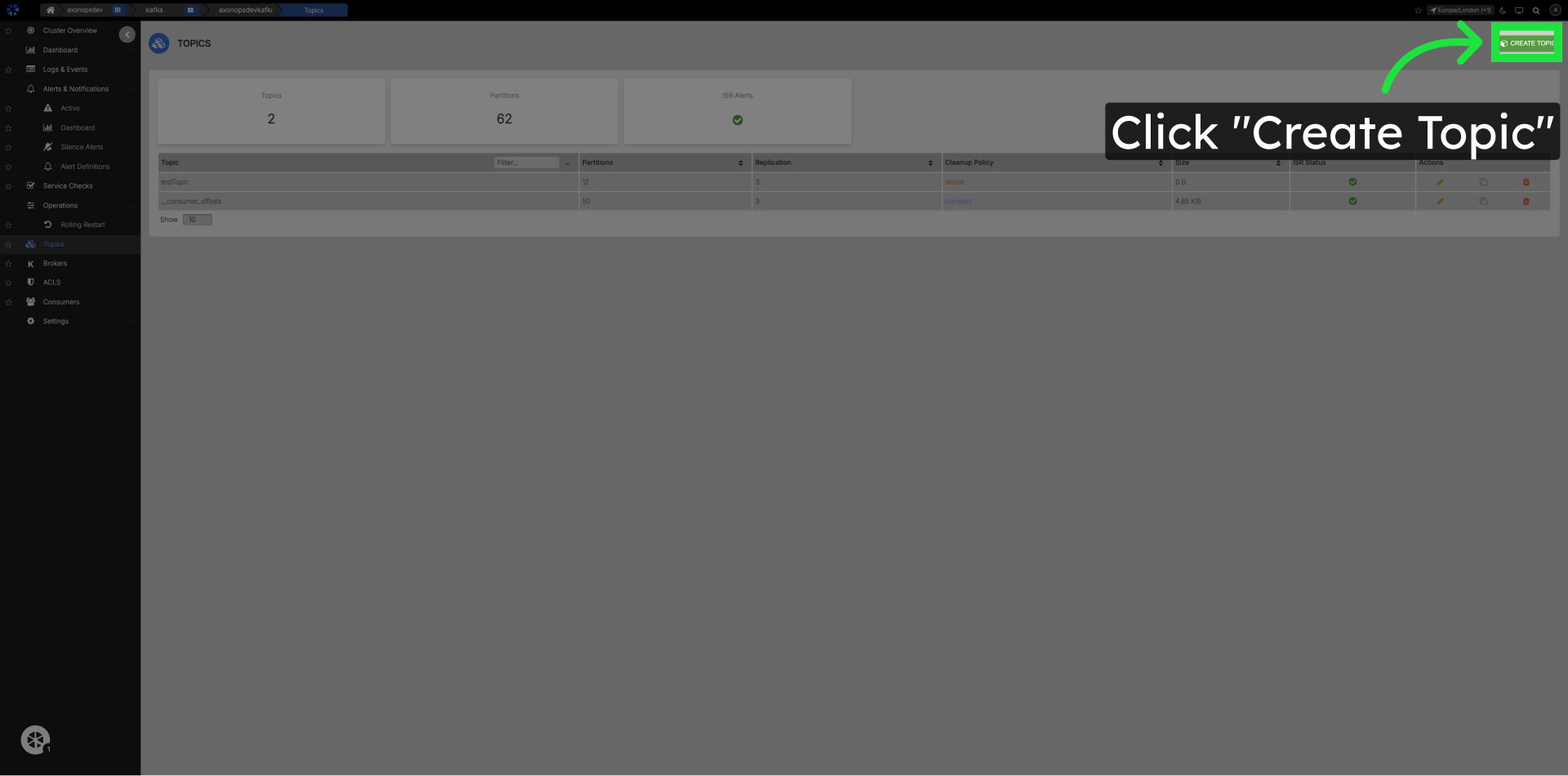
Click Create Topic Button
Topic Creation Configuration
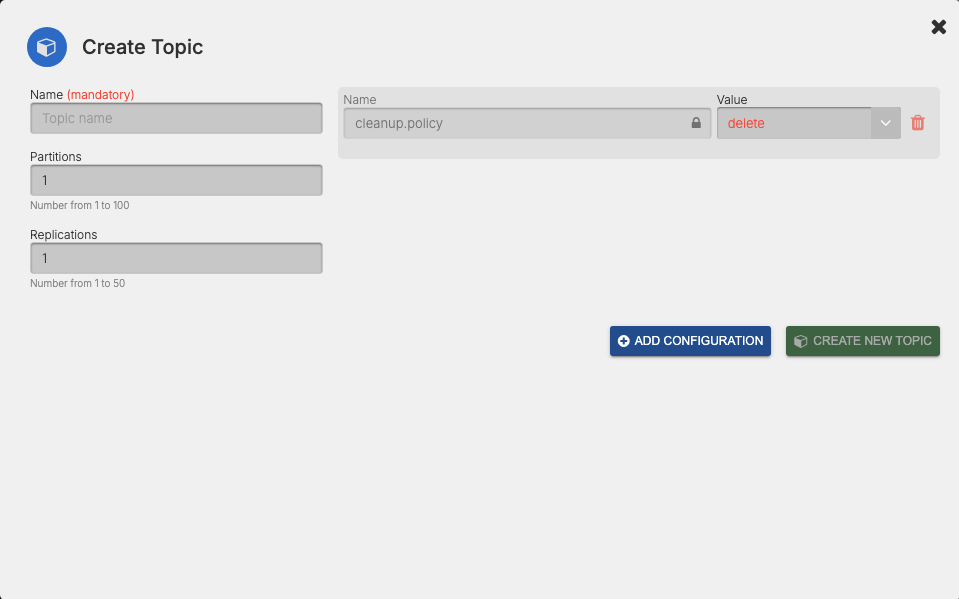
- Fill in the topic name.
- Set the number of partitions.
- Set the replication factor.
- Add conditional configuration options if needed.
- Finalize by clicking Create New Topic.
Core Topic Configuration Options
| Option | Description | Example/Default Value |
|---|---|---|
retention.ms |
How long (in milliseconds) to retain messages in the topic. | 604800000 (7 days) |
retention.bytes |
Maximum total bytes to retain in the topic. | -1 (unlimited) |
cleanup.policy |
How old data is removed: delete (default) or compact (log compaction). | delete |
min.insync.replicas |
Minimum number of replicas that must acknowledge a write for it to be considered successful. | 1 |
segment.bytes |
Size of each log segment file. | 1073741824 (1 GB) |
segment.ms |
Time after which a new log segment is rolled. | 604800000 (7 days) |
max.message.bytes |
Maximum size of a single message. | 1048576 (1 MiB) |
compression.type |
Compression algorithm for topic data: gzip, snappy, lz4, zstd, uncompressed, producer. | producer |
message.timestamp.type |
Whether to use CreateTime or LogAppendTime for message timestamps. | CreateTime |
Note
Defaults can vary by Kafka version and broker configuration. Confirm the effective values in your cluster.
For a full list of Apache Kafka topic configuration options, see the Apache Kafka topic configuration reference.