Overview
AxonOps provides the ability to restore from local snapshots and remote backups.
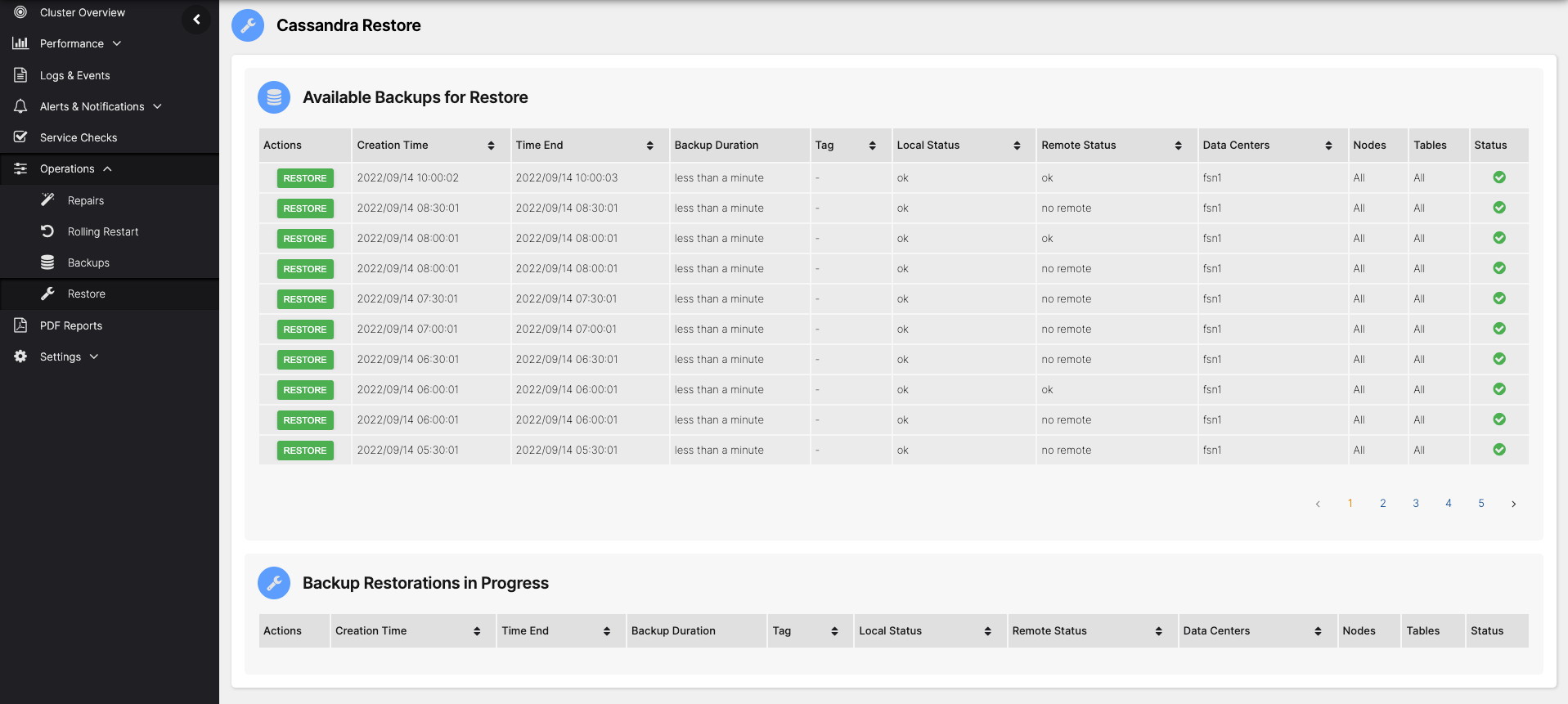
The Restore feature is accessible via Operations > Restore.
Note that the AxonOps user needs temporary write access to Cassandra data folders to perform the restore.
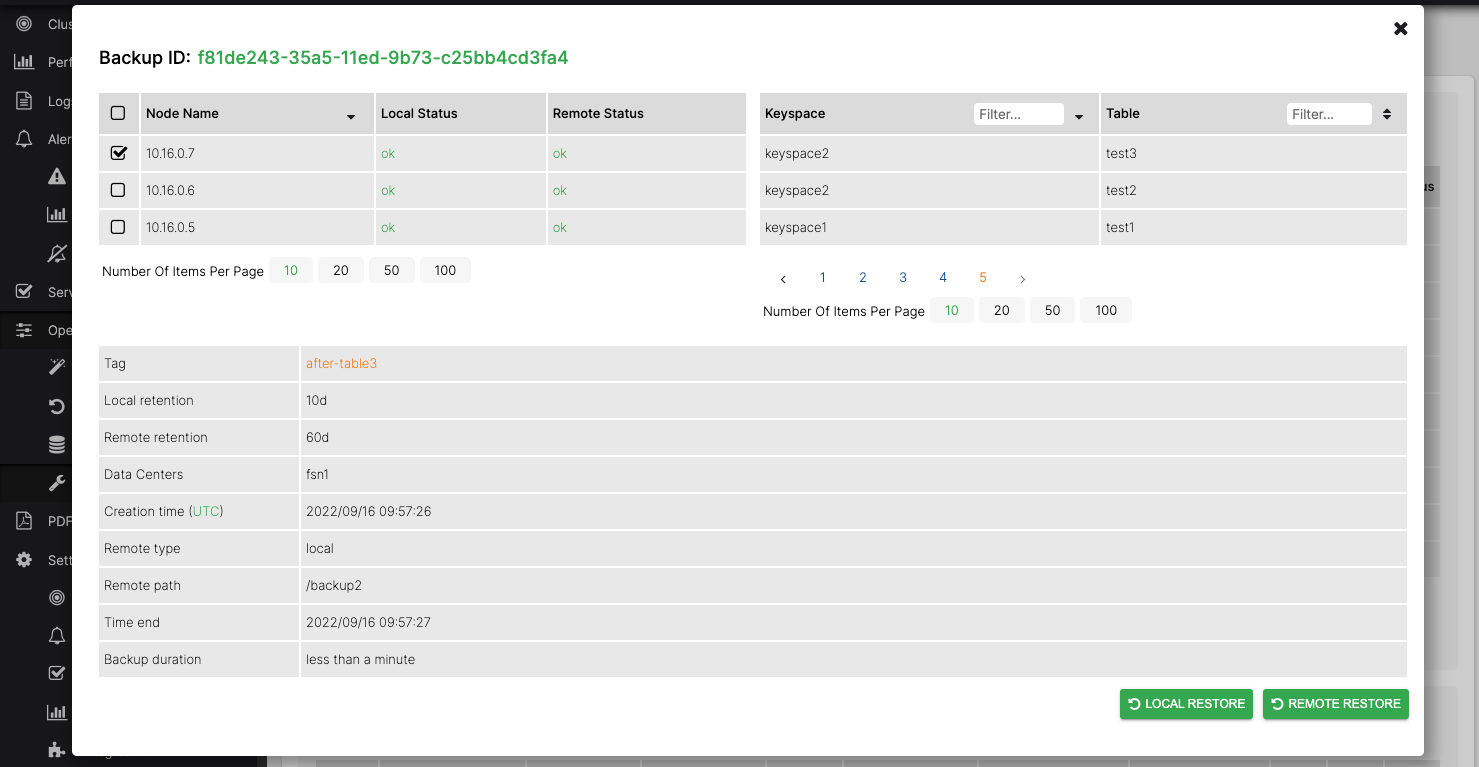
To restore Cassandra, click the backup you want to restore.
This provides the backup details and lets you start the restoration by clicking LOCAL RESTORE or REMOTE RESTORE, depending on whether you want to restore from the local snapshot or the remote backup (if remote backups are configured). Here you can also select a subset of nodes to restore via the checkboxes in the Nodes list.
Multiple data directories
Section titled “Multiple data directories”Requires axon-agent 2.0.23 or later.
If your Cassandra nodes use more than one entry under data_file_directories in cassandra.yaml, restores work as follows:
- Local restore — SSTables are restored to the same data directory they were snapshotted from, preserving the original on-disk layout.
- Remote restore — SSTables are placed across the configured data directories using a round-robin policy, balancing the load between disks. All component files belonging to a single SSTable generation (for example
nb-12-big-Data.db,nb-12-big-Index.db,nb-12-big-Statistics.db) are kept together on the same data directory so Cassandra can read them as a unit.
The AxonOps user needs temporary write access to every directory listed in
data_file_directories. See the per-scenario restore guides for the exactchmod/chowncommands.
Follow the links below for detailed restore scenarios:
Restore a single node - same IP address
Replace a node - different IP address
Restore whole cluster - same IP addresses
Restore whole cluster - different IP addresses
Setting data directory permissions
Section titled “Setting data directory permissions”When AxonOps restores data it needs temporary write access to Cassandra’s data directories. How this is handled depends on how axon-agent is installed:
- Default installation — axon-agent is granted the Linux filesystem capabilities (
CAP_CHOWNandCAP_FOWNER) it needs to adjust the data-directory permissions automatically. No manual action is required. - Agent runs as the Cassandra user — axon-agent already owns the data directories, so no manual action is required.
- Hardened installation (capabilities removed) — if those capabilities have been removed and axon-agent does not run as the Cassandra OS user, the agent cannot grant itself write access. AxonOps detects this and the restore screen shows a reminder. In this case the permissions must be set manually (see below). Restricting axon-agent Privileges covers how the capabilities are removed and what removing them costs.
When manual setup is required, grant the Cassandra OS group write access to the data directory before starting the restore. Once the restore has completed, restore ownership of the data files to the Cassandra user and revoke the group write access:
# Before the restore — grant the cassandra group write accesssudo chmod -R g+w /var/lib/cassandra/data
# After the restore — restore ownership to cassandra and revoke group write accesssudo chown -R cassandra:cassandra /var/lib/cassandra/datasudo chmod -R g-w /var/lib/cassandra/dataThe standard AxonOps installation adds the axonops user to the Cassandra group, so that axon-agent can write the restored files while group write is enabled. After the restore the chown returns ownership of those files to Cassandra.
cassandra:cassandra is the default Cassandra user and group, and /var/lib/cassandra/data is the default data directory. If you run Cassandra as a different user/group, or your nodes use a different path (or more than one path under data_file_directories), adjust the commands accordingly and run them for each directory.

