Cassandra Repair
Adaptive and scheduled repair that maintains data consistency without impacting production workloads. Real-time progress tracking, full execution history, and failure alerting across every node.

Consistency without the operational burden
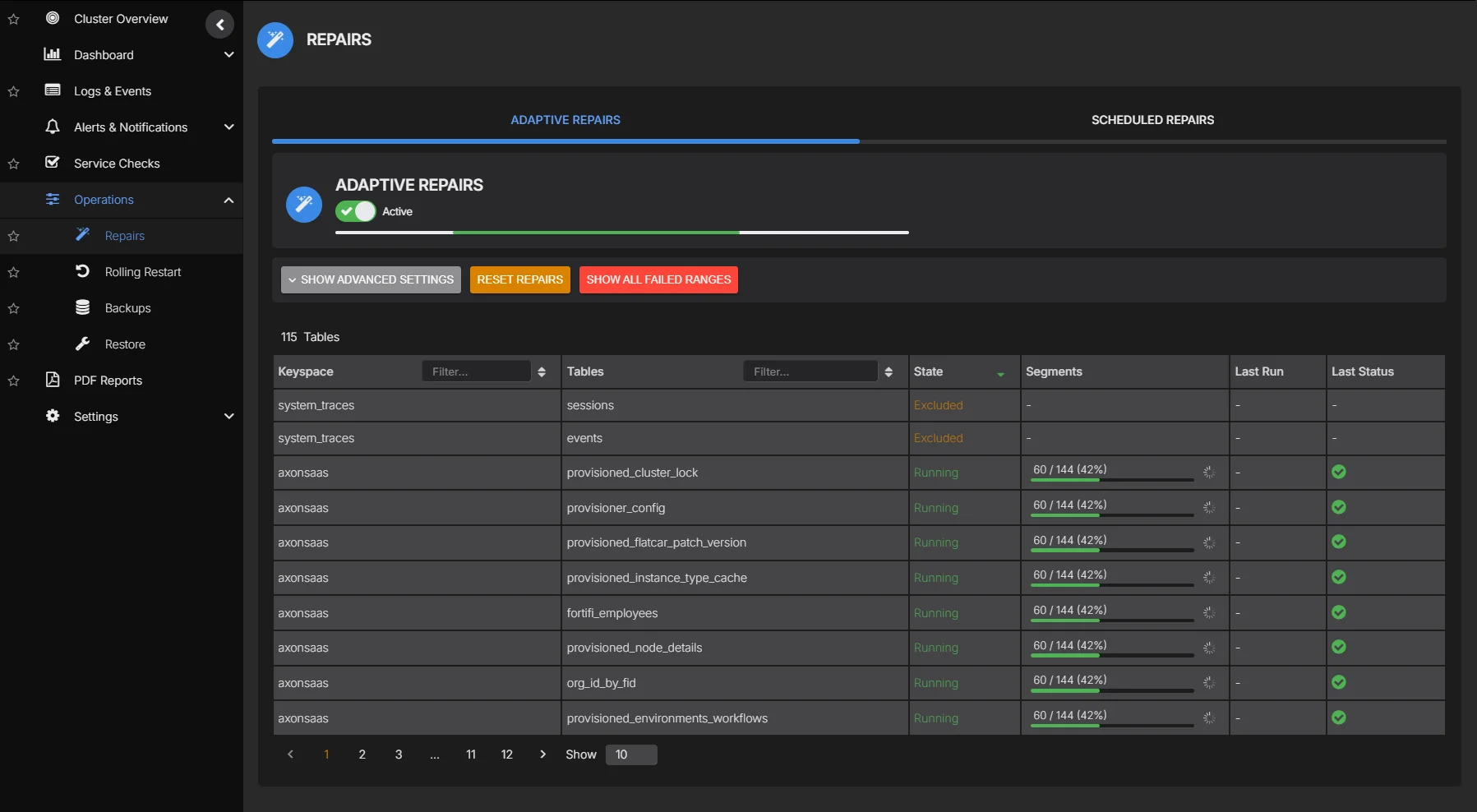
Repair is one of the most operationally demanding processes in Cassandra. Running it too aggressively degrades performance. Running it too infrequently leads to data inconsistency and failed reads. Most teams either avoid repair entirely or run it on a rigid schedule that ignores cluster load. AxonOps provides both adaptive and scheduled repair so you get continuous consistency enforcement without manual tuning or production impact.
Adaptive Repair executes slowly by design, because query performance always comes first. Intensity only increases when the cluster is idle.
Track repair progress per node and keyspace in real time. See what has been repaired, what is pending, and what has failed, without running nodetool commands.
Repair failures trigger alerts routed by cluster, datacenter, severity, or custom rules to exactly the right team via Slack, Microsoft Teams, PagerDuty, OpsGenie, ServiceNow, or webhook. No noise, no missed failures.
The most advanced repair system for Apache Cassandra
Adaptive and scheduled repair with real-time monitoring, full execution history, and failure alerting.
| Capability | What you get | Detail |
|---|---|---|
| Adaptive Repair | ||
| Continuous consistency | Repairs run continuously in the background, maintaining consistency without manual scheduling | Always-on consistency enforcement |
| Query-first intensity | Repair executes slowly by design, prioritising query performance. Repair intensity adjusts based on cluster load. | Queries always come first |
| Keyspace and table scope | Configure which keyspaces and tables are included in adaptive repair | Focus repair where it matters most |
| Scheduled Repair | ||
| Cron-based scheduling | Define repair schedules per keyspace or table with flexible cron expressions | Fits into existing maintenance windows |
| Repair type | Choose between full, incremental, or subrange repair per schedule | Match repair strategy to workload |
| Scope control | Target specific keyspaces, tables, or token ranges per repair job | Precise control over what gets repaired |
| Parallelism | Configure sequential, datacenter-parallel, or fully parallel repair execution | Balance speed against cluster load |
| Thread count | Set the number of repair threads per node to control resource consumption | Fine-tune repair intensity |
| Execution windows | Restrict repair execution to off-peak hours with start and end time constraints | Avoid production impact |
| Datacenter scope | Run repair within specific datacenters or across all datacenters | Localise repair to where it is needed |
| Monitoring & history | ||
| Real-time progress | Track repair progress per node and keyspace with live status updates | See what is running, pending, and completed |
| Repair history | Complete log of every repair execution with duration, scope, and outcome | Audit and troubleshoot past repairs |
| Failure alerting | Immediate notification when repairs stall or fail, routed by cluster, datacenter, or severity to Slack, Teams, PagerDuty, OpsGenie, ServiceNow, or webhook | Intelligent routing, zero noise |
| Data repaired metrics | Volume of data repaired per session with before/after consistency state | Quantify repair impact |
| Governance | ||
| Role-based access | Assign edit or read-only rights per user, with access scoped to specific clusters | Prevent unauthorized changes |
| SSO authentication | Optional Enterprise SAML integration for single sign-on | Centralized identity management |
| Automation | ||
| Terraform provider | Automate repair schedules, consistency targets, and adaptive repair policies as code | Codify your repair strategy |
Adaptive Repair
Adaptive Repair runs continuously in the background, maintaining data consistency across replicas. It deliberately executes slowly because query performance is always the priority. Adaptive regulation of repair velocity means intensity throttles back during heavy workloads and only accelerates when the cluster is idle. The regulation logic is also aware of each table's gc_grace_seconds, and acceleration during quiet periods is continuously recalibrated to ensure all tables complete repair within their required window.
- Designed to run slowly by default, keeping query latency unaffected
- Intensity automatically adjusts based on real-time cluster load
- Configure scope per keyspace and table to focus repair where it matters
- Repair plan per table is derived from gc_grace_seconds settings, ensuring consistency is maintained within the required window
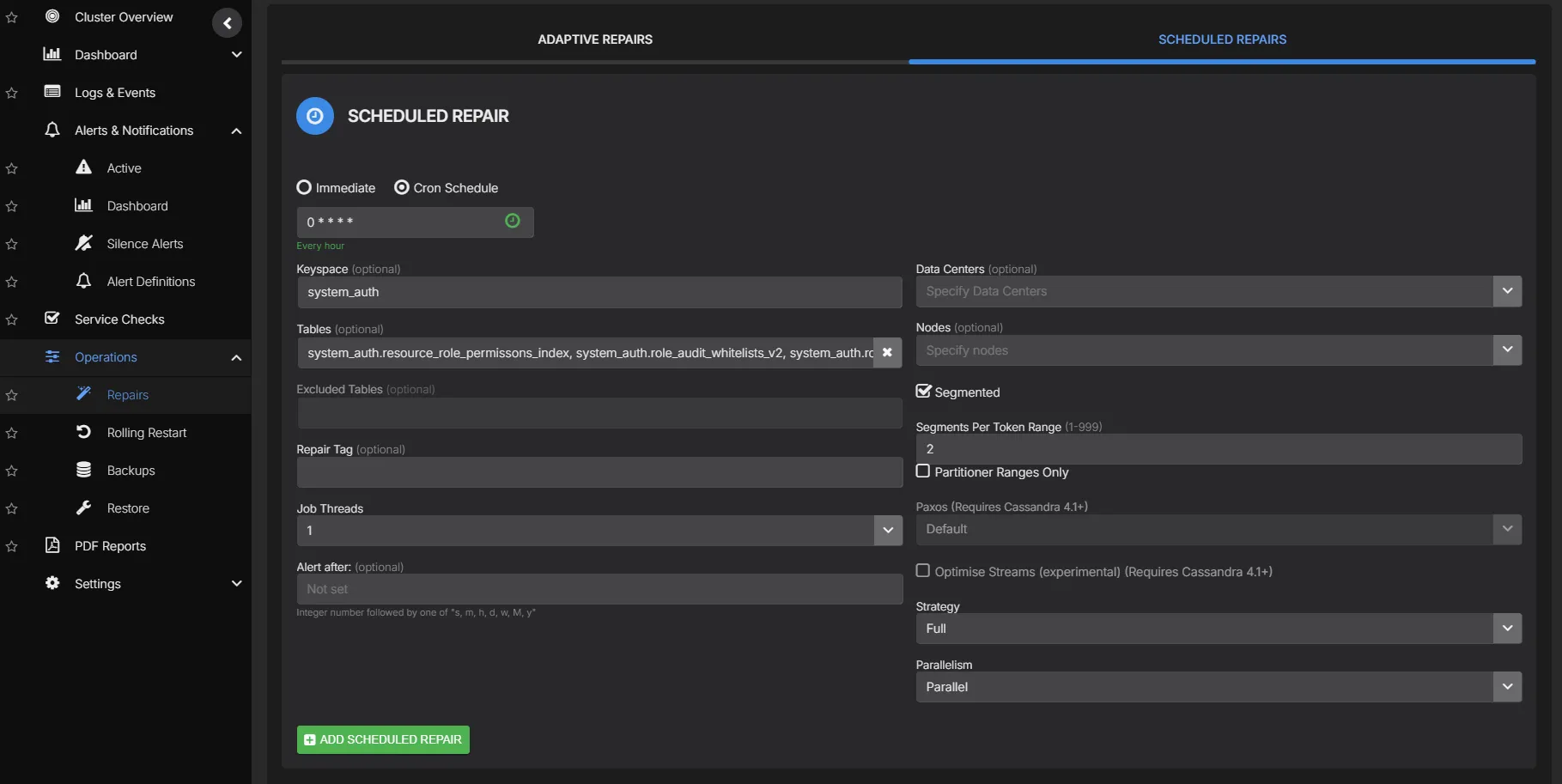
Scheduled Repair
For teams that prefer planned repair cycles, scheduled repair gives you full control over every parameter. Choose the repair type, target specific keyspaces or tables, set parallelism, configure thread counts, and restrict execution to off-peak windows. Every run is logged with full execution history and failure alerting.
- Full, incremental, or subrange repair per schedule
- Scope to specific keyspaces, tables, or token ranges
- Sequential, datacenter-parallel, or fully parallel execution
- Configurable thread count per node for resource control
- Execution windows with start and end time constraints
- Datacenter-scoped or cross-datacenter repair
- Full execution history with duration, scope, and outcome
Repair Monitoring & History
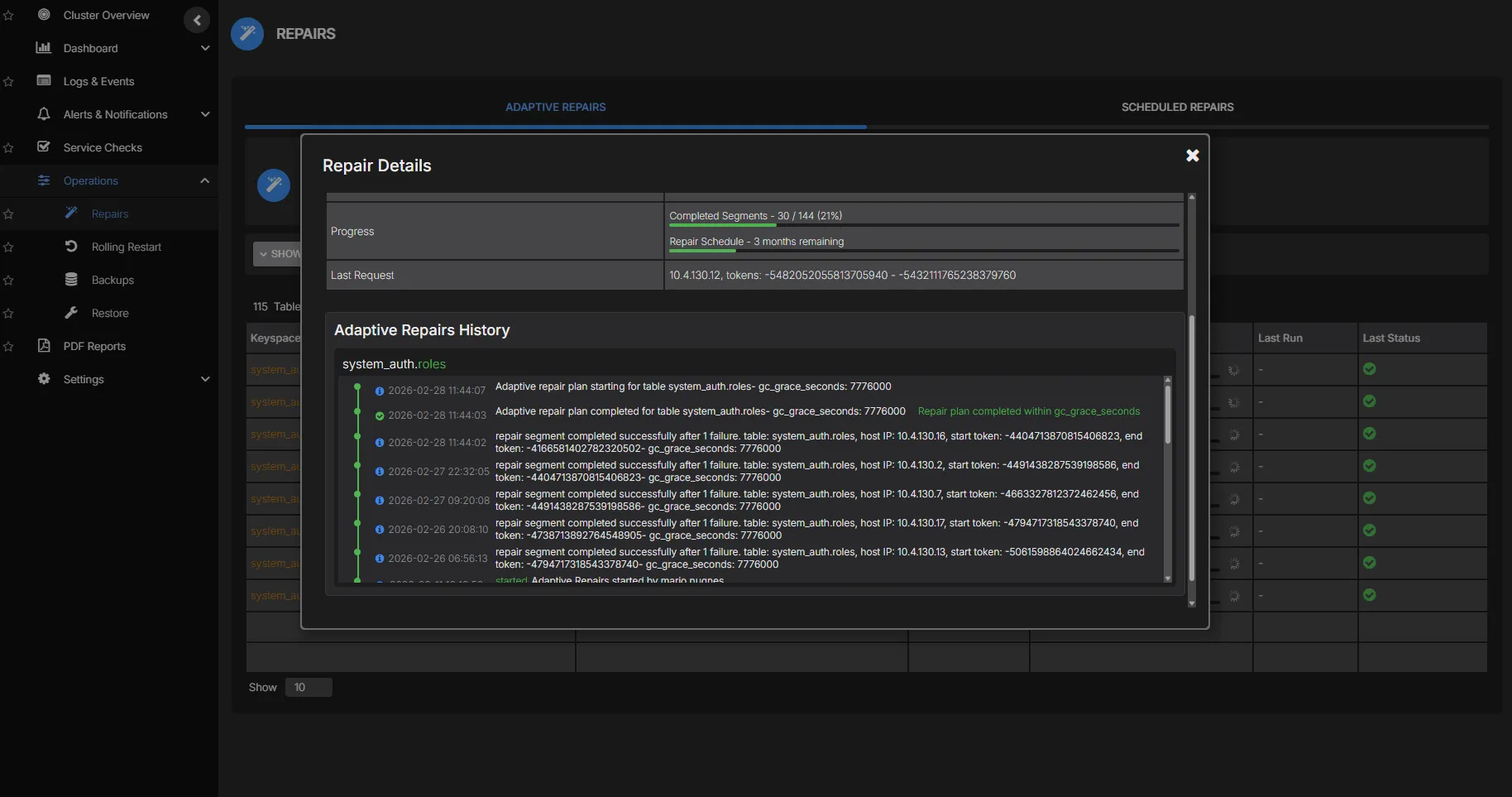
Track repair progress across every node with real-time status updates. See which keyspaces have been repaired, what is currently running, and where failures have occurred. Complete repair history gives you the audit trail to troubleshoot issues and verify consistency.
- Real-time repair progress per node and keyspace
- Complete history of every repair execution
- Immediate alerting on stalled or failed repairs
- Data volume repaired per session for impact tracking
See Cassandra repair in action