Prerequisites
Backups are enabled and set up. For more on how to set up backups, see Backup overview.
Steps
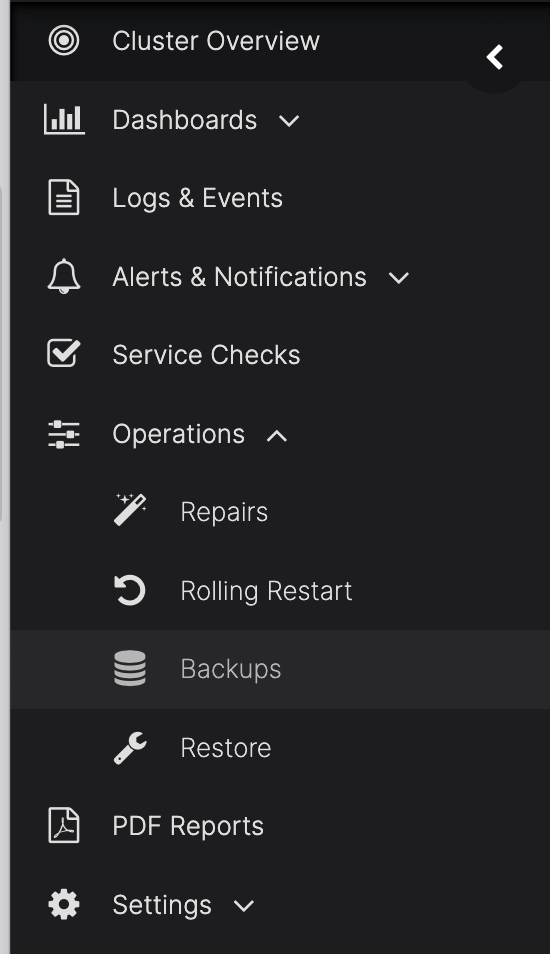
In the AxonOps Dashboard on the left-hand menu, navigate to Operations > Backups.
On the top tab, select Commitlog Archiving.
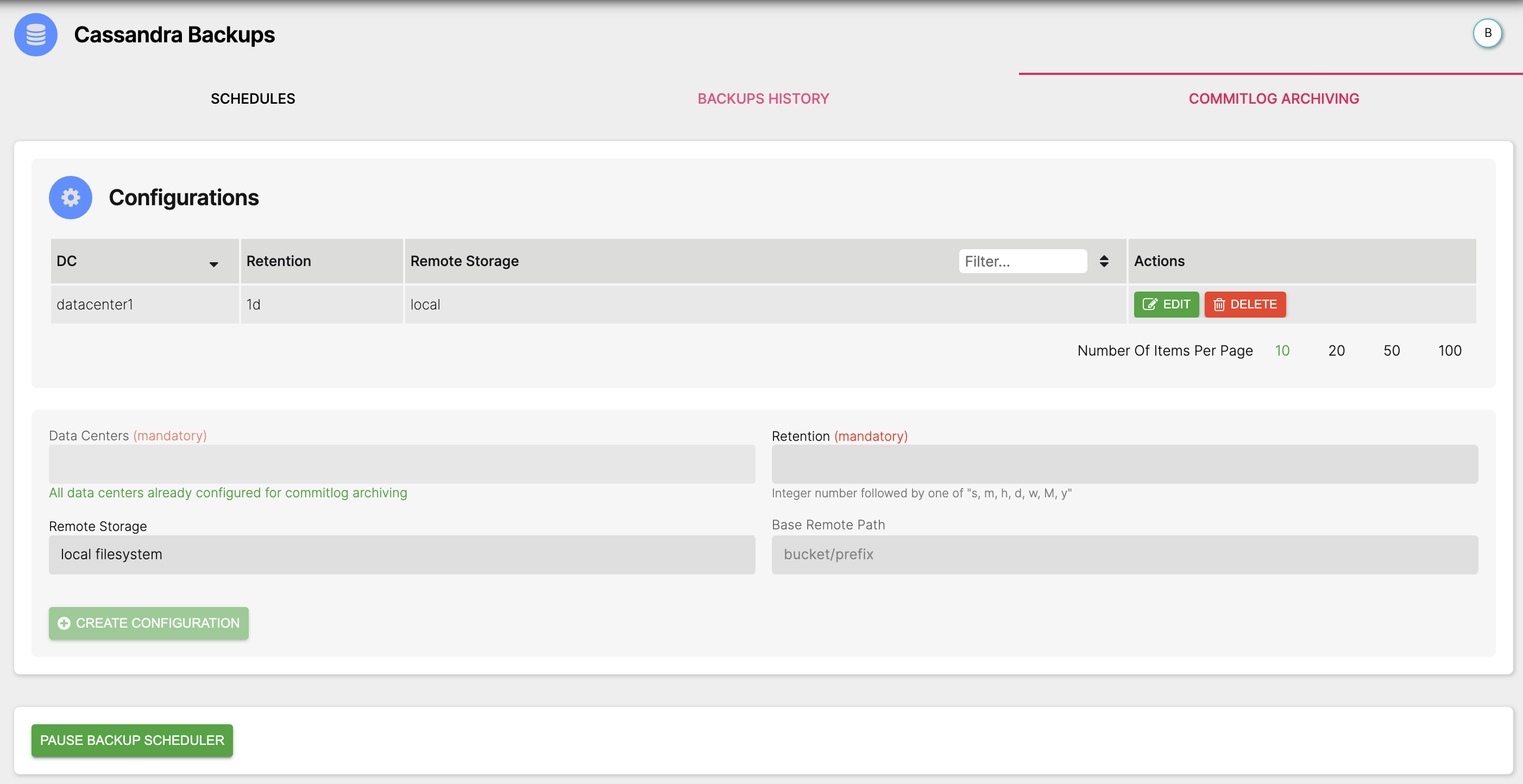
Configuration
Complete the fields with the required values and click the Create configuration button.
Fields
-
Data Centers (Mandatory)
The Cassandra Cluster DC that you want to enable Commitlog Archiving.
-
Retention (Mandatory)
The amount of time in hours (h), days (d), weeks (w), months (M), or years (y) that you want to archive commit logs for.
-
Remote Storage
The following options are available for remote storage locations:
- AWS S3
- Google Cloud Storage
- Local filesystem
- Microsoft Azure Blob Storage
- S3 Compatible
- SFTP/SSH
-
Base Remote Path
This is the name of the storage bucket. You can also add subfolders if using shared buckets or saving multiple clusters to the same bucket. By default AxonOps saves backups to
/bucket/folder/org/clustertype/clustername/host-id/.The
org/clustertype/clustername/host-id/path matches the top breadcrumb navigation in the AxonOps Dashboard.